Материал: m013500e_x06
66 • Feldbus Coupler/Controller
Fieldbus Controller 750-806
3.2.2.4 Display Elements
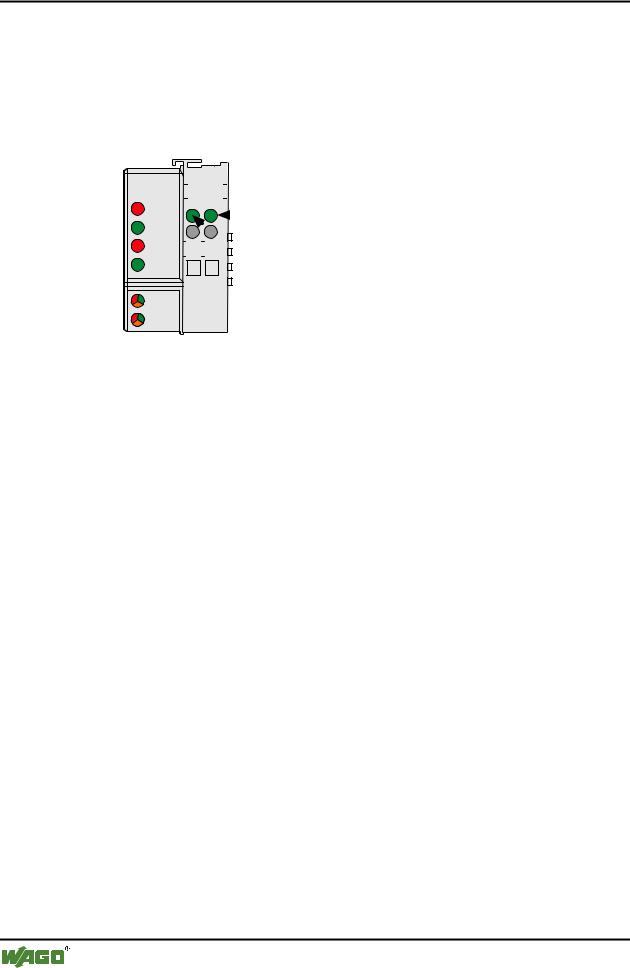
The operating condition of the fieldbus Coupler or node is signalled via light diodes (LED).
Four LED’s, specific for DeviceNet (OVERFL, RUN, BUSOFF, CONNECT), indicate the module status (MS) or the network status (NS).
|
DeviceNet |
|
01 |
|
02 |
|
|
|
|
|
|
|
|
|
|
|
|
|
|
|
|
||||
|
|
|
|
|
|
|
|
|
|
|
|
|
|
OVERFL |
A |
|
|
|
|
|
|
|
C |
|
|
|
|
C |
|
|
|
|||||||
|
MS |
|
|
|
|
|
|
|
A |
|
||
|
RUN |
B |
|
|
|
|
|
|
|
|
||
|
|
|
|
|
D |
|
|
|
|
|||
|
BUS OFF |
|
|
|
|
|
|
|
|
|
||
|
|
24V |
|
0V |
|
|
|
|
|
|
||
|
|
|
|
|||||||||
|
NS |
|
|
|
|
|
|
|
|
|
|
|
|
CONNECT |
|
|
|
|
|
|
|
|
|
|
|
|
I/O |
|
|
|
|
|
|
|
|
|
|
|
|
|
|
|
|
|
|
|
|
|
|
|
|
|
|
|
|
|
|
|
|
|
|
|
|
|
|
|
|
|
|
|
|
|
|
|
|
|
|
|
USR |
|
|
|
|
|
|
|
|
|
|
|
Fig. 3-23: Display elements 750-806 |
g080602x |
|||||||||||
|
|
|
|
|
|
|
|
|||||
|
LED |
|
|
|
Color |
Meaning |
|
|||||
|
OVERFL |
|
|
|
red |
Errors or faults at the fieldbus Coupler. |
|
|||||
|
|
|
|
|
|
|
|
|||||
|
RUN |
|
|
|
green |
Fieldbus Coupler is ready for operation. |
|
|||||
|
|
|
|
|
|
|
||||||
|
BUS OFF |
|
|
red |
Error or malfunction at network |
|
||||||
|
|
|
|
|
|
|||||||
|
CONNECT |
|
green |
Fieldbus Coupler is ready for network communication. |
|
|||||||
|
|
|
|
|
|
|
||||||
|
IO |
|
|
|
red |
The 'I/O'-LED indicates the operation of the node and signals faults |
||||||
|
|
|
|
|
/green / |
encountered. |
|
|||||
|
|
|
|
|
orange |
|
|
|
||||
|
|
|
|
|
|
|
||||||
|
USR |
|
|
|
red |
The 'USR' LED can be selected by a user program in a programma- |
||||||
|
|
|
|
|
/green / |
ble fieldbus Controller |
|
|||||
|
|
|
|
|
orange |
|
|
|
||||
|
|
|
|
|
|
|
|
|||||
|
A |
|
|
|
green |
Status of the operating voltage system |
|
|||||
|
|
|
|
|
|
|
|
|||||
|
C |
|
|
|
green |
Status of the operating voltage – power jumper contacts |
|
|||||
|
|
|
|
|
|
|
|
|
|
|
|
|
WAGO-I/O-SYSTEM 750
DeviceNet
Feldbus-Koppler/-Controller • 67
Fieldbus Controller 750-806
3.2.2.5 Configuration and Programming Interface
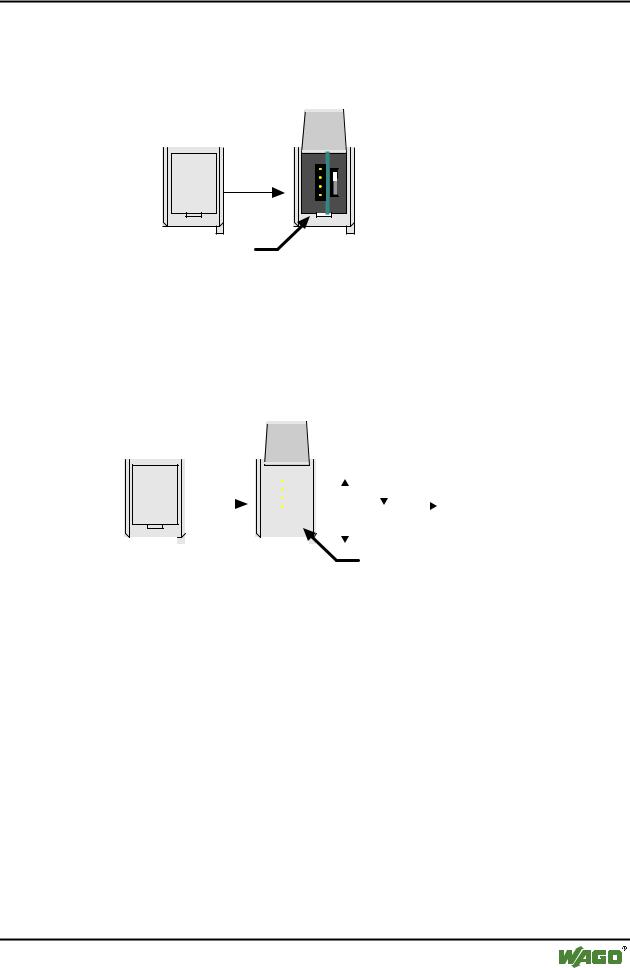
The configuration and programming interface is located behind the cover flap. This is used to communicate with WAGO-I/O-CHECK and WAGO-I/O-PRO 32 as well as for firmware transfer.
open flap
Configuration and programming interface
Fig. 3-24: Configuration and programming interface |
g01xx07e |
The communication cable (750-920) is connected to the 4-pole header.
3.2.2.6 Operating Mode Switch
The operating mode switch is located behind the cover flap beside the configuration and programming interface.
|
|
|
open |
|
|
|
|
|
|
|
|
|
|
|
||
|
|
|
|
|
|
|
|
|
|
|
|
|
|
|||
|
|
|
flap |
|
|
|
|
|
|
|
Run |
Stop |
Reset |
|||
|
|
|
|
|
|
|
|
|
|
|||||||
|
|
|
|
|
|
|
|
|
|
|||||||
|
|
|
|
|
|
|
|
|
||||||||
|
|
|
|
|
|
|
|
|
|
|
|
|
|
|
|
|
|
|
|
|
|
|
|
|
|
|
|
|
|
|
|
|
(pushing down) |
|
|
|
|
|
|
|
|
|
|
|
|
|
Update firmware |
|
||
|
|
|
|
|
|
|
|
|
|
|
|
|
|
|||
|
|
|
|
|
|
|
|
|
|
|
|
|
mode switch |
|||
|
|
|
|
|
|
|
|
|
|
|
|
|
||||
|
|
|
|
|
|
|
|
|
|
|
|
|
||||
Fig. 3-25: Operating mode switch |
|
|||||||||||||||
|
|
|
|
g01xx10e |
||||||||||||
The switch is a push/slide switch with 3 settings and a hold-to-run function.
Operating mode switch |
Function |
From middle to top position |
Activate program processing (RUN) |
|
|
From top to middle position |
Stop program processing (STOP) |
|
|
Lower position, bootstrap |
For original loading of firmware, |
|
not necessary for user |
|
|
Push down |
Hardware reset |
(i.e.with a screwdriver) |
All outputs are reset; variables are set to 0 or to FALSE |
|
or to an initial value. |
|
The hardware reset can be performed with STOP as well |
|
as RUN in any position of the operating mode switch! |
|
|
An operating mode is internally changed at the end of a PLC cycle.
WAGO-I/O-SYSTEM 750
DeviceNet
68 • Feldbus Coupler/Controller
Fieldbus Controller 750-806
Attention
If outputs are set when switching over the operating mode switch from RUN to STOP, they remain set! Switching off the software side i.e. by initiators, are ineffective, because the program is no longer processed.
Note
With "GET_STOP_VALUE" (library "System.lib") WAGO-I/O-PRO 32 provides a function which serves to recognize the last cycle prior to a program stop giving the user the possibility to program the behavior of the Controller in case of a STOP. With the aid of this function the Controller outputs can be switched to a safe condition.
3.2.2.7 Hardware Address (MAC ID)
The DIP switch is used both for parametrizing (setting the baud rate) of the fieldbus controller and for setting the MAC ID.
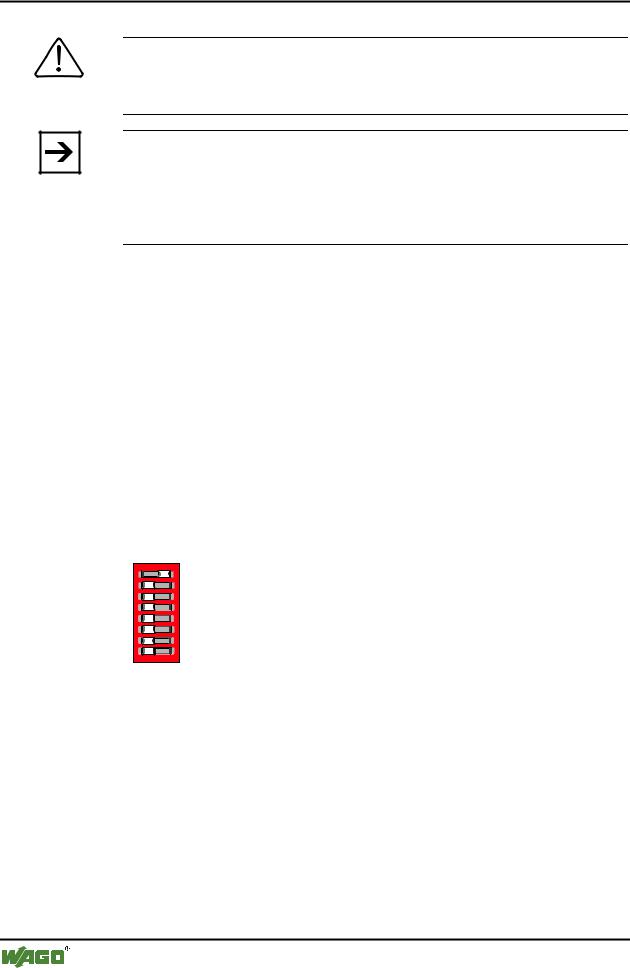
The MAC-ID (node address) is set with the DIP switches 1 to 6 by 'sliding' the desired DIP switch to 'ON'.
The binary significance of the individual DIP switches increases according to the switch number. DIP switch 1 being the lowest bit with the value 20 and switch 6 the highest bit with the value 25. Therefore the MAC ID 1 is set with DIP1 = ON, the MAC ID 8 with DIP4 = ON, etc.
For the DeviceNet fieldbus nodes the node address can be set within the range from 0 to 63.
1 |
1 |
|
2 |
2 |
3 |
3 |
4 |
4 |
5 |
5 |
6 |
6 |
7 |
7 |
8 |
8 |
ON
ON
Fig. 3-26: Example: Setting of station (node) address MAC ID 1 (DIP 1 = ON) |
g012540x |
The configuration is only read during the power up sequence. Changing the switch position during operation does not change the configuration of the buscoupler. Turn off and on the power supply for the fieldbus controller to accept the DIP switch change.
The default setting is MAC ID 1.
WAGO-I/O-SYSTEM 750
DeviceNet
Feldbus-Koppler/-Controller • 69
Fieldbus Controller 750-806
3.2.2.8 Setting the Baud Rate
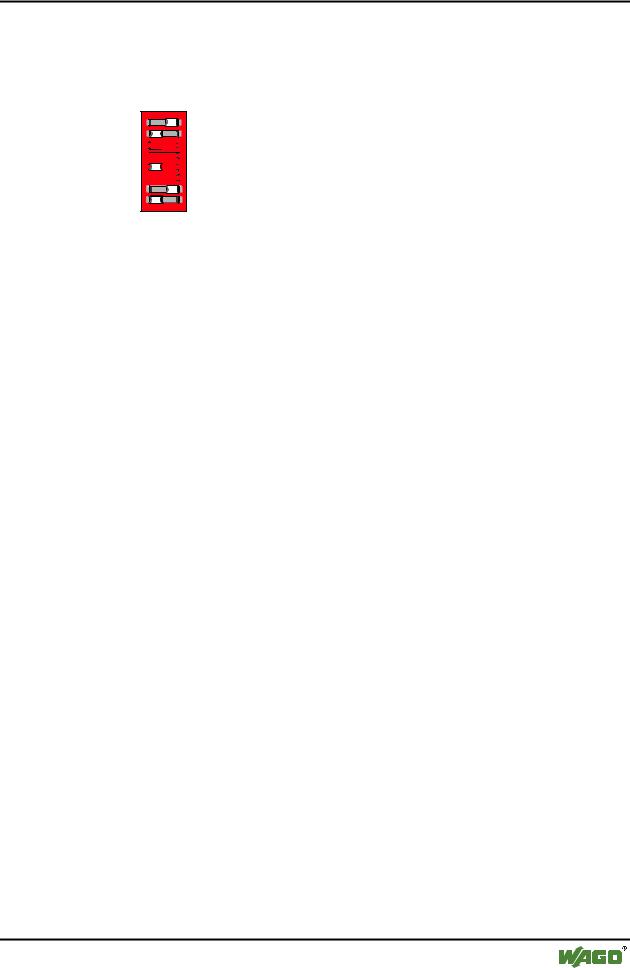
The fieldbus controller supports 3 different Baud rates, 125 kBaud, 250 kBaud and 500 kBaud. DIP switches 7 and 8 are used to set the baud rate.
1 |
1 2 |
ON |
|
2 |
|||
|
|
33 


44 


 ON
ON
55 


66 


7 |
7 |
|
8 |
8 |
g012541x
Fig. 3-27: Example: Setting the baud rate 250 kBaud (DIP 7 = ON) on a station (node) with the address MAC ID 1.
Baudrate |
DIP7 |
DIP8 |
125 kBaud*) |
OFF |
OFF |
250 kBaud |
ON |
OFF |
|
|
|
500 kBaud |
OFF |
ON |
|
|
|
not allowed |
ON |
ON |
*) Presetting |
|
|
The configuration is only read during the power up sequence. Changing the switch position during operation does not change the configuration of the buscoupler. Turn off and on the power supply for the fieldbus controller to accept the changing.
The default setting is Baud rate 125 kB.
WAGO-I/O-SYSTEM 750
DeviceNet

70 • Feldbus Coupler/Controller
Fieldbus Controller 750-806
3.2.3 Operating System
3.2.3.1 Start-up
The Controller starts-up after switching on the supply voltage or after a hardware reset. The PLC program in the flash memory is transferred to the RAM.
This is followed by the initialization of the system. The Controller determines the I/O modules and the present configuration. The variables are set to 0 or to FALSE or to an initialization value given by the PLC program. The flags retain their status. The "I/O" LED blinks red during this phase.
Following an error free start-up, the Controller changes over to the "RUN" mode. The "I/O" LED lights up green.
A PLC program does not yet exist in the flash memory when delivered. The Controller start-up is described without initializing the system. It then behaves as a Coupler.
3.2.3.2 PLC Cycle
The PLC cycle starts following an error free start-up when the operating mode switch is in the top position or by a start command from the WAGO-I/O-PRO 32. The input and output data of the fieldbus and the I/O modules as well as the times are read. Subsequently, the PLC program in the RAM is processed followed by the output data of the fieldbus and the I/O
modules in the process image. Operating system functions, amongst others, for diagnosis and communication are performed and the times are updated at the end of the PLC cycle. The cycle starts again with the reading in of the input and output data and the times.
The change of the operating mode (STOP/RUN) is made at the end of a PLC cycle.
The cycle time is the time from the start of the PLC program to the next start. If a loop is programmed within a PLC program, the PLC running time and thus the PLC cycle are extended correspondingly.
The inputs, outputs and times are not updated during the processing of the PLC program. This update occurs in a defined manner only at the end of the PLC program. For this reason it is not possible to wait for an event from the process or the elapse of a time within a loop.
WAGO-I/O-SYSTEM 750
DeviceNet