Материал: part02
|
DICOM PS3.2 2020a - Conformance |
|
|
|
Page 101 |
||
|
Module Name |
|
|
|
|
|
|
Attribute Name |
Tag |
VR |
M |
R |
Q |
D |
IOD |
Accession Number |
(0008,0050) |
SH |
|
x |
x |
x |
x |
Requesting Physician |
(0032,1032) |
PN |
|
x |
|
x |
x |
Referring Physician's Name |
(0008,0090) |
PN |
|
x |
x |
x |
x |
Visit Identification |
|
|
|
|
|
|
|
Admission ID |
(0038,0010) |
LO |
|
x |
|
|
|
Visit Status |
|
|
|
|
|
|
|
Current Patient Location |
(0038,0300) |
LO |
|
x |
x |
|
|
Visit Admission |
|
|
|
|
|
|
|
Admitting Diagnosis Description |
(0008,1080) |
LO |
|
x |
|
x |
|
Patient Identification |
|
|
|
|
|
|
|
Patient's Name |
(0010,0010) |
PN |
|
x |
x |
x |
x |
Patient ID |
(0010,0020) |
LO |
|
x |
x |
x |
x |
Patient Demographic |
|
|
|
|
|
|
|
Patient's Birth Date |
(0010,0030) |
DA |
|
x |
x |
x |
x |
Patient's Sex |
(0010,0040) |
CS |
|
x |
x |
x |
x |
Patient's Weight |
(0010,1030) |
DS |
|
x |
|
x |
x |
Confidentiality Constraint on Patient |
(0040,3001) |
LO |
|
x |
|
x |
|
Data Description |
|
|
|
|
|
|
|
Patient Medical |
|
|
|
|
|
|
|
Patient State |
(0038,0500) |
LO |
|
x |
|
x |
|
Pregnancy Status |
(0010,21C0) |
US |
|
x |
|
x |
|
Medical Alerts |
(0010,2000) |
LO |
|
x |
|
x |
|
Allergies |
(0010,2110) |
LO |
|
x |
|
x |
|
Special Needs |
(0038,0050) |
LO |
|
x |
|
x |
|
Note
If an extended character set is used in the Request Identifier, Specific Character Set (0008,0005) will be included in the Identifier with the value "ISO_IR 100" or "ISO_IR 144" (see Section B.6). Otherwise, Specific Character Set (0008,0005) will not be sent
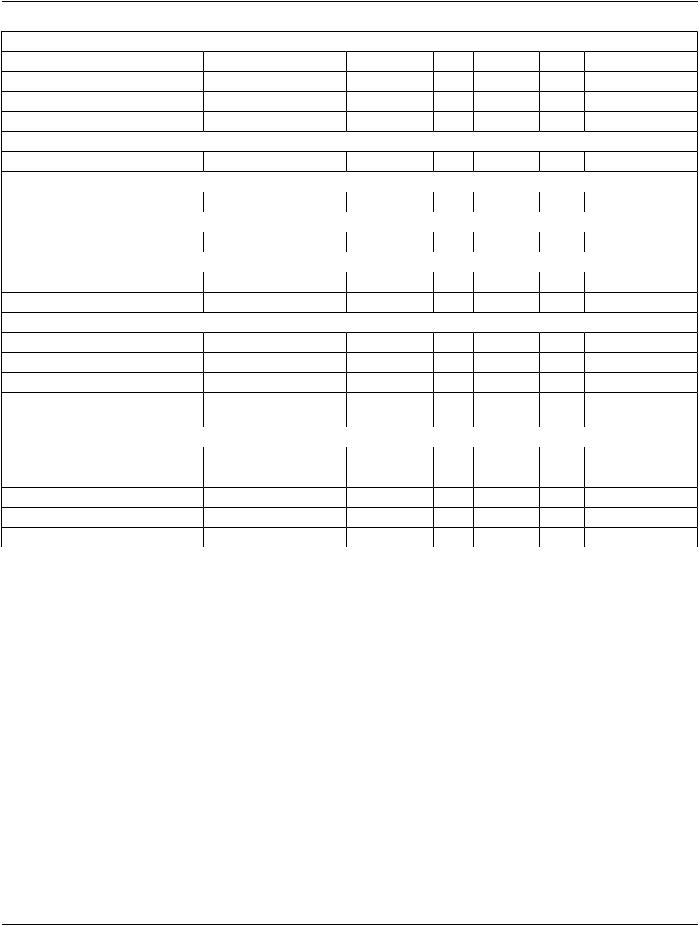
The above tables should be read as follows:
Module Name |
The name of the associated module for supported worklist attributes. |
Attribute Name |
Attributes supported to build an EXAMPLEINTEGRATED-MODALITY Worklist Request Identifier. |
Tag |
DICOM tag for this attribute. |
VR |
DICOM VR for this attribute. |
M |
Matching keys for (automatic) Worklist Update. A "S" will indicate that EXAMPLE-INTEGRATED-MODALITY |
|
will supply an attribute value for Single Value Matching, a "R" will indicate Range Matching and a "*" will denote |
|
wild card matching. It can be configured if "Scheduled Station AE Title" is additionally supplied "(S) " and if |
|
Modality is set to RF or SC. |
R |
Return keys. An "x" will indicate that EXAMPLE-INTEGRATED-MODALITY will supply this attribute as Return |
|
KeywithzerolengthforUniversalMatching.TheEXAMPLE-INTEGRATED-MODALITYwillsupportretireddate |
|
format (yyyy.mm.dd) for "Patient's Birth Date" and "Scheduled Procedure Step Start Date" in the response |
- Standard -
Page 102 |
DICOM PS3.2 2020a - Conformance |
|
identifiers. For "Scheduled Procedure Step Start Time" also retired time format as well as unspecified time |
|
components are supported. |
Q |
Interactive Query Key. An "x" " will indicate that EXAMPLE-INTEGRATED-MODALITY will supply this attribute |
|
as matching key, if entered in the Query Patient Worklist dialog. For example, the Patient Name can be entered |
|
thereby restricting Worklist responses to Procedure Steps scheduled for the patient. |
D |
Displayed keys. An "x" indicates that this worklist attribute is displayed to the user during a patient registration |
|
dialog. For example, Patient Name will be displayed when registering the patient prior to an examination. |
IOD |
An "x" indicates that this Worklist attribute is included into all Object Instances created during performance of |
|
the related Procedure Step. |
The default Query Configuration is set to "Modality" (RF) and "Date" (date of today). Optionally, additional matching for the own AET is configurable.
B.4.2.2.3.2 Activity - Acquire Images
B.4.2.2.3.2.1 Description and Sequencing of Activities
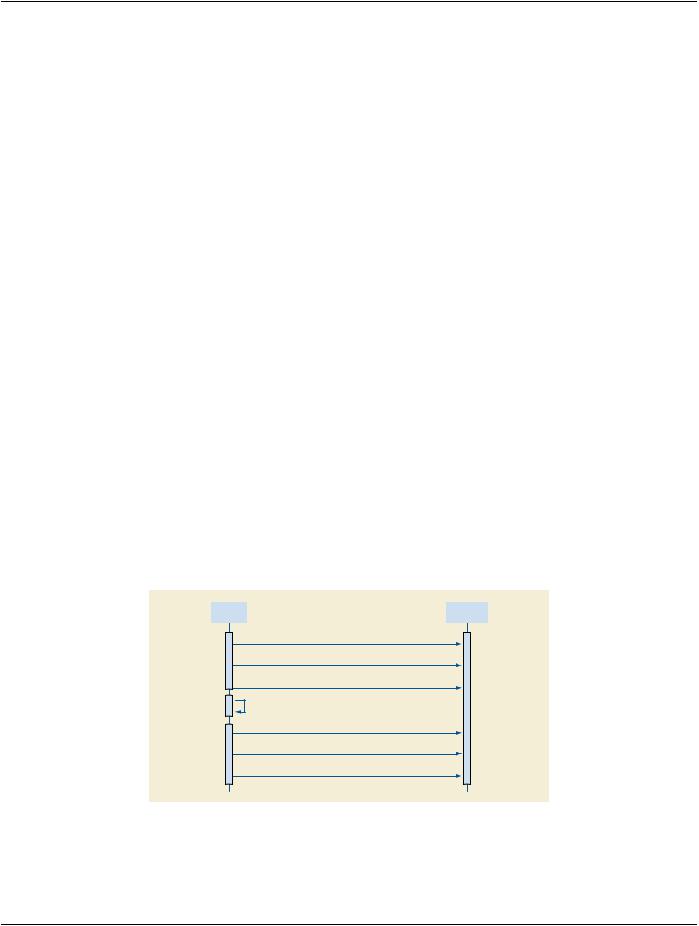
After Patient registration, the EXAMPLE-INTEGRATED-MODALITY is awaiting the 1st application of X-Ray Dose to the patient. The trigger to create a MPPS SOP Instance is derived from this event. An Association to the configured MPPS SCP system is established immediately and the related MPPS SOP Instance will be created.
AmanualupdatecanbeperformedwiththeMPPSuserinterfacewhereisitpossibletosetthefinalstateoftheMPPSto"COMPLETED" or "DISCONTINUED". In the "Discontinued" case the user can also select the discontinuation reason from a list corresponding to CID 9300“ProcedureDiscontinuationReasons”.AMPPSInstancethathasbeensentwithastateof"COMPLETED"or"DISCONTINUED" can no longer be updated.
The EXAMPLE-INTEGRATED-MODALITY will support creation of "unscheduled cases" by allowing MPPS Instances to be commu- nicated for locally registered Patients.
The EXAMPLE-INTEGRATED-MODALITY only supports a 0-to-1 relationship between Scheduled and Performed Procedure Steps.
EXAMPLE-INTEGRATED-MODALITY will initiate an Association to issue an:
•N-CREATE request according to the CREATE Modality Performed Procedure Step SOP Instance operation or a
•N-SETrequesttoupdatethecontentsandstateoftheMPPSaccordingtotheSETModalityPerformedProcedureStepInformation operation.
Workflow |
|
Department |
AE |
|
Scheduler |
|
|
|
1.Open Association
2.N-CREATE (MPPS) – IN PROGRESS
3.Close Association
4.Acquire Images
1.Open Association
2.N-CREATE (MPPS) – COMPLETED
3.Close Association
Figure B.4.2-4. Sequencing of Activity - Acquire Images
A possible sequence of interactions between the Workflow AE and a Departmental Scheduler (e.g., a device such as a RIS or HIS that supports the MPPS SOP Class as an SCP) is illustrated in Figure B.4.2-4:
- Standard -
DICOM PS3.2 2020a - Conformance |
Page 103 |
1.The Worklist AE opens an association with the Departmental Scheduler
2.The Worklist AE sends an N-CREATE request to the Departmental Scheduler to create an MPPS instance with status of "IN PROGRESS" and create all necessary attributes. The Departmental Scheduler acknowledges the MPPS creation with an N- CREATE response (status success).
3.The Worklist AE closes the association with the Departmental Scheduler.
4.All images are acquired and stored in the local database.
5.The Worklist AE opens an association with the Departmental Scheduler.
6.TheWorklistAEsendsanN-SETrequesttotheDepartmentalSchedulertoupdatetheMPPSinstancewithstatusof"COMPLETED" and set all necessary attributes. The Departmental Scheduler acknowledges the MPPS update with an N-SET response (status success).
7.The Worklist AE closes the association with the Departmental Scheduler.
B.4.2.2.3.2.2 Proposed Presentation Contexts
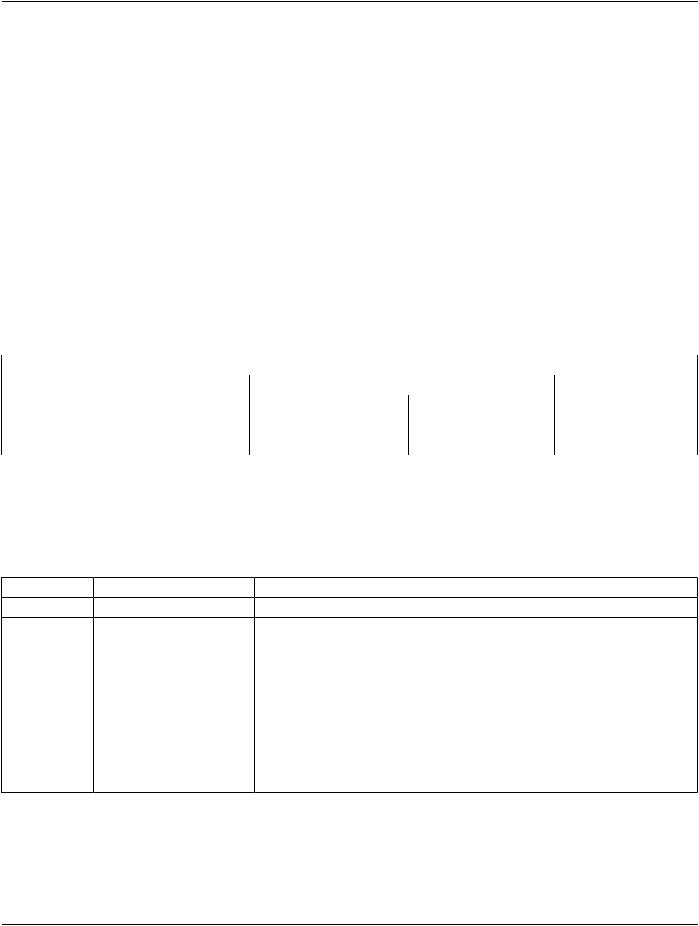
EXAMPLE-INTEGRATED-MODALITY will propose Presentation Contexts as shown in the following table:
Table B.4.2-25. Proposed Presentation Contexts for Real-World Activity Acquire Images
|
|
Presentation Context Table |
|
|
|
Abstract Syntax |
Transfer Syntax |
Role |
Extended |
||
Name |
UID |
Name List |
UID List |
|
Negotiation |
|
|
||||
Modality Performed1.2.840.10008.3.1.2.3.3Implicit VR Little Endian |
1.2.840.10008.1.2 |
SCU |
None |
||
Procedure Step |
|
Explicit VR Little Endian |
1.2.840.10008.1.2.1 |
|
|
|
|
|
|
||
B.4.2.2.3.2.3 SOP Specific Conformance for MPPS
The behavior of EXAMPLE-INTEGRATED-MODALITY when encountering status codes in an MPPS N-CREATE or N-SET response issummarizedinTableB.4.2-26.IfanyotherSCPresponsestatusthan"Success"or"Warning"isreceivedbyEXAMPLEINTEGRATED- MODALITY, a message "MPPS update failed" will appear on the user interface.
Table B.4.2-26. MPPS N-CREATE / N-SET Response Status Handling Behavior
Service Status |
Further Meaning |
Error Code |
|
Success |
Success |
0000 |
|
Failure |
Processing Failure - |
0110 |
|
|
Performed Procedure Step |
|
|
|
Object may no longer be |
|
|
|
updated |
|
|
Warning |
Attribute Value Out of Range0116H |
||
Behavior
 The SCP has completed the operation successfully.
The Association is aborted using A-ABORT and the MPPS is marked as failed. The status meaning is logged and reported to the user. Additional information in the Response will be logged (i.e., Error Comment and Error ID).
The MPPS operation is considered successful but the status meaning is logged. Additional information in the Response identifyingtheattributesoutofrangewillbelogged(i.e.,Elements in the Modification List/Attribute List)
* |
* |
Any other status The Association is aborted using A-ABORT and the MPPS is |
|
|
|
code. |
marked as failed. The status meaning is logged and reported to |
|
|
|
the user. |
The behavior of EXAMPLE-INTEGRATED-MODALITY during communication failure is summarized in the Table below:
- Standard -

Page 104 DICOM PS3.2 2020a - Conformance
Table B.4.2-27. MPPS Communication Failure Behavior
Exception |
Behavior |
Timeout |
TheAssociationisabortedusingA-ABORTandMPPSmarkedasfailed.Thereason |
|
is logged and reported to the user. |
 AssociationabortedbytheSCPornetworklayersThe MPPS is marked as failed. The reason is logged and reported to the user.
Table B.4.2-28 provides a description of the MPPS N-CREATE and N-SET request identifiers sent by EXAMPLE-INTEGRATED- MODALITY. Empty cells in the N-CREATE and N-SET columns indicate that the attribute is not sent. An "x" indicates that an appro- priate value will be sent. A "Zero length" attribute will be sent with zero length.
Table B.4.2-28. MPPS N-CREATE / N-SET Request Identifier
Attribute Name |
Tag |
VR |
N-CREATE |
N-SET |
Specific Character Set |
(0008,0005) |
CS |
"ISO_IR 100" or "ISO_IR 144" |
|
Modality |
(0008,0060) |
CS |
RF |
|
Referenced Patient Sequence |
(0008,1120) |
SQ |
Zero length |
|
Patient's Name |
(0010,0010) |
PN |
From Modality Worklist or user |
|
|
|
|
input (all 5 components). The user |
|
|
|
|
can modify values provided via |
|
|
|
|
Modality Worklist. |
|
Patient ID |
(0010,0020) |
LO |
From Modality Worklist or user |
|
|
|
|
input. The user can modify values |
|
|
|
|
provided via Modality Worklist. |
|
Patient's Birth Date |
(0010,0030) |
DA |
From Modality Worklist or user |
|
|
|
|
input. The user can modify values |
|
|
|
|
provided via Modality Worklist. |
|
Patient's Sex |
(0010,0040) |
CS |
From Modality Worklist or user |
|
|
|
|
input. The user can modify values |
|
|
|
|
provided via Modality Worklist. |
|
Distance Source to Detector (SID) |
(0018,1110) |
DS |
Zero length |
x |
Image Area Dose Product |
(0018,115E) |
DS |
Zero length |
x |
Study ID |
(0020,0010) |
SH |
From Modality Worklist or user |
|
|
|
|
input. The user can modify values |
|
|
|
|
provided via Modality Worklist. |
|
Performed Station AE Title |
(0040,0241) |
AE |
MPPS AE Title |
|
Performed Station Name |
(0040,0242) |
SH |
From configuration |
|
Performed Location |
(0040,0243) |
SH |
From configuration |
|
Performed Procedure Step Start |
(0040,0244) |
DA |
Actual start date |
|
Date |
|
|
|
|
Performed Procedure Step Start |
(0040,0245) |
TM |
Actual start time |
|
Time |
|
|
|
|
PerformedProcedureStepEndDate |
(0040,0250) |
DA |
Zero length |
Actual end date |
Performed Procedure Step End |
(0040,0251) |
TM |
Zero length |
Actual end time |
Time |
|
|
|
|
Performed Procedure Step Status |
(0040,0252) |
CS |
IN PROGRESS |
DISCONTINUEDor |
|
|
|
|
COMPLETED |
- Standard -

|
DICOM PS3.2 2020a - Conformance |
Page 105 |
||
Attribute Name |
Tag |
VR |
N-CREATE |
N-SET |
Performed Procedure Step |
(0040,0281) |
SQ |
Zero length |
If Performed |
Discontinuation Reason Code |
|
|
|
Procedure Step |
Sequence |
|
|
|
Status (0040,0252) |
|
|
|
|
is |
|
|
|
|
"DISCONTINUED" |
|
|
|
|
then a single item |
|
|
|
|
will be present |
|
|
|
|
containing a |
|
|
|
|
user-selected entry |
|
|
|
|
drawn from CID |
|
|
|
|
9300 “Procedure |
|
|
|
|
Discontinuation |
|
|
|
|
Reasons”. |
Performed Procedure Step ID |
(0040,0253) |
SH |
Automatically created but can be |
|
|
|
|
modified by the user. |
|
Performed Procedure Step |
(0040,0254) |
LO |
From Modality Worklist or user |
|
Description |
|
|
input. The user can modify the |
|
|
|
|
description provided via Modality |
|
|
|
|
Worklist. |
|
Performed Procedure Type |
(0040,0255) |
LO |
Zero length |
|
Description |
|
|
|
|
PerformedProtocolCodeSequence |
(0040,0260) |
SQ |
Zero length |
Zero or more items |
ScheduledStepAttributesSequence |
(0040,0270) |
SQ |
If 1st dose applied results in an |
|
|
|
|
Instance |
|
> Accession Number |
(0008,0050) |
SH |
From Modality Worklist or user |
|
|
|
|
input. The user can modify values |
|
|
|
|
provided via Modality Worklist. |
|
> Referenced Study Sequence |
(0008,1110) |
SQ |
From Modality Worklist |
|
>> Referenced SOP Class UID |
(0008,1150) |
UI |
From Modality Worklist |
|
>> Referenced SOP Instance UID |
(0008,1155) |
UI |
From Modality Worklist |
|
> Study Instance UID |
(0020,000D) |
UI |
From Modality Worklist |
|
>RequestedProcedureDescription |
(0032,1060) |
LO |
From Modality Worklist |
|
> Scheduled Procedure Step |
(0040,0007) |
LO |
From Modality Worklist |
|
Description |
|
|
|
|
> Scheduled Protocol Code |
(0040,0008) |
SQ |
From Modality Worklist |
|
Sequence |
|
|
|
|
> Scheduled Procedure Step ID |
(0040,0009) |
SH |
From Modality Worklist |
|
> Requested Procedure ID |
(0040,1001) |
SH |
From Modality Worklist |
|
Performed Series Sequence |
(0040,0340) |
SQ |
if 1st dose applied results in an |
One or more items |
|
|
|
instance |
|
> Retrieve AE Title |
(0008,0054) |
AE |
x |
x |
> Series Description |
(0008,103E) |
LO |
x |
x |
> Performing Physician's Name |
(0008,1050) |
PN |
x |
x |
> Operator's Name |
(0008,1070) |
PN |
x |
x |
> Referenced Image Sequence |
(0008,1140) |
SQ |
One or more items |
One or more items |
>> Referenced SOP Class UID |
(0008,1150) |
UI |
x |
x |
>> Referenced SOP Instance UID |
(0008,1155) |
UI |
x |
x |
> Protocol Name |
(0018,1030) |
LO |
x |
x |
- Standard -