Материал: part02
DICOM PS3.2 2020a - Conformance |
Page 191 |
The following additional activities are asynchronous mode and they can be send any time the Print Server is up and running:
*DICOM Print Job N-GET, request the execution status of a Print Job.
*DICOM Print Job N-EVENT-REPORT, report an update on the execution status of a Print Job. ** DICOM Printer Status N-GET - Request a Printer Status, anytime the Printer is ON.
** DICOM Printer Configuration N-GET - Request the Printer configuration, anytime the Printer is ON. ** DICOM Printer Status N-EVENT-REPORT - Report the Printer Status Changed.
E.4.2 AE Specifications
E.4.2.1 Print Server Management (SCP) Application Entity Specification
E.4.2.1.1 SOP Classes
The EXAMPLE-PRINT-SERVER-MANAGEMENT provides Standard Conformance to the following SOP Classes:
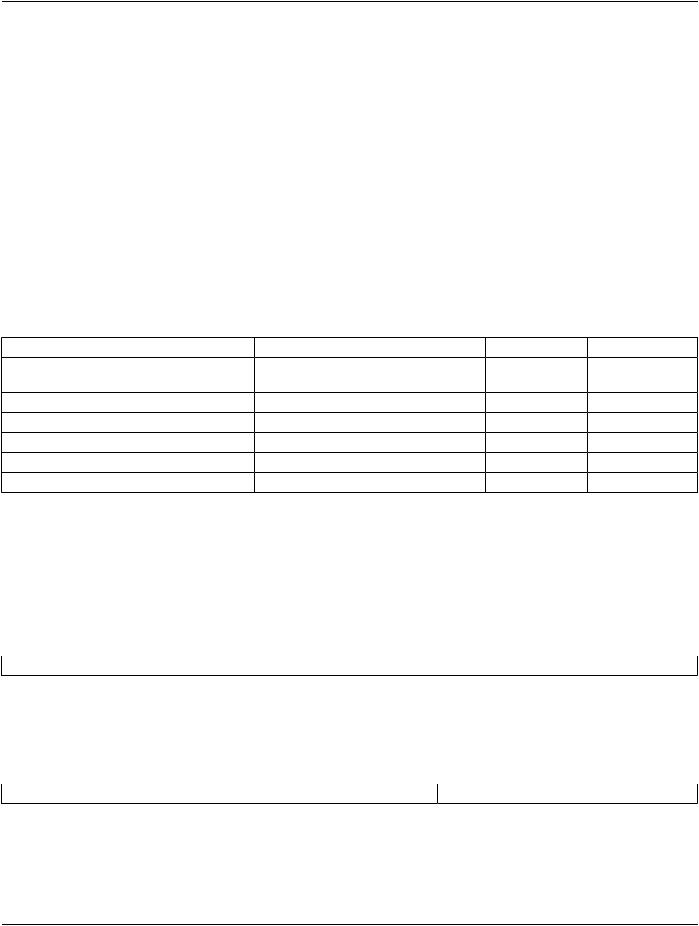
Table E.4.2-1. SOP Classes for AE Print Server (SCP)
SOP Class Name |
SOP Class UID |
SCU |
SCP |
Basic Grayscale Print Management Meta SOP1.2.840.10008.5.1.1.9 |
No |
Yes |
|
Class |
|
|
|
Presentation LUT SOP Class |
1.2.840.10008.5.1.1.23 |
No |
Yes |
Printer Configuration |
1.2.840.10008.5.1.1.16.376 |
No |
Yes |
Print Job |
1.2.840.10008.5.1.1.14 |
No |
Yes |
Basic Annotation Box SOP Class |
1.2.840.10008.5.1.1.15 |
No |
Yes |
Verification SOP Class |
1.2.840.10008.1.1 |
Yes |
Yes |
E.4.2.1.2 Association Establishment Policy
E.4.2.1.2.1 General
The Print Server Management System will accept associations while configured as an Print SCP and while a valid local Printer des- tination exists.
The DICOM standard application context name for DICOM is always accepted
Table E.4.2-2. DICOM Application Context for AE Print SCP
Application Context Name |
1.2.840.10008.3.1.1.1 |
E.4.2.1.2.2 Number of Associations |
|
The EXAMPLE-PRINT-SERVER-MANAGEMENT will accept Up to 8 simultaneous delivery Associations. If an attempt is made to open more than 8 simultaneous Associations, the Print Server System will reject the additional Associations (A-ASSOCIATE-RJ).
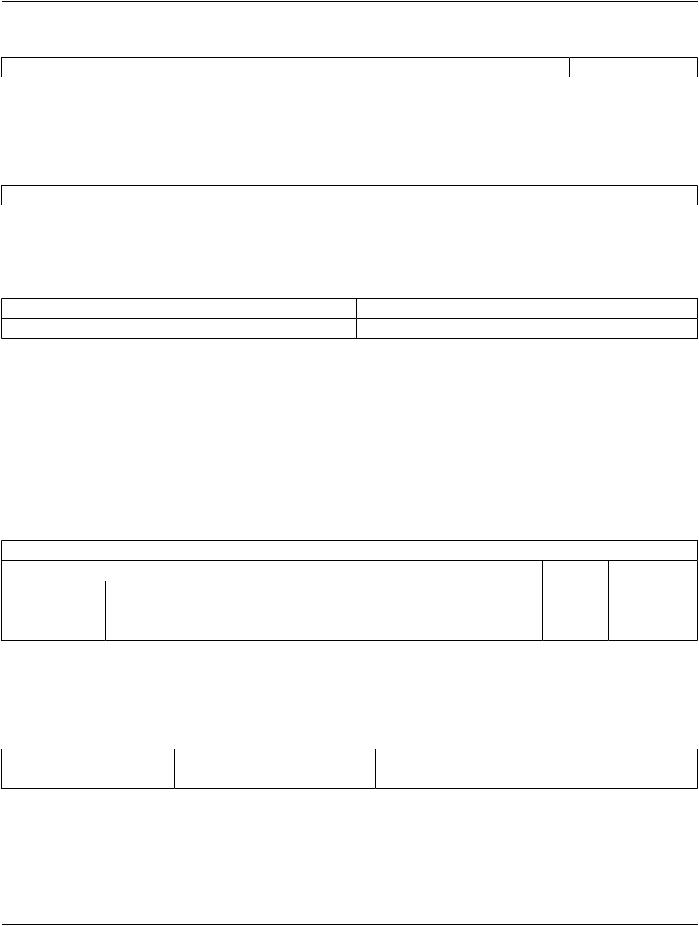
Table E.4.2-3. Number of Associations Accepted for AE Print Server Management (SCP)
Maximum number of simultaneous Associations |
8 (Configurable) |
EXAMPLE-PRINT-SERVER-MANAGEMENT will also initiate one Association at a time for each destination to which a connectivity verification request is being processed. Only one connectivity verification job will be active at a time, the other remains pending until the active job is completed or failed.
- Standard -
Page 192 DICOM PS3.2 2020a - Conformance
Table E.4.2-4. Number of Associations Initiated for Connectivity
Maximum number of simultaneous Associations |
1 |
E.4.2.1.2.3 Asynchronous Nature |
|
The EXAMPLE-PRINT-SERVER-MANAGEMENT does not support asynchronous communication. Multiple outstanding transactions are not supported. It allows up to one invoked and one performed operation on an Association (it is synchronous).
Table E.4.2-5. Asynchronous Nature as a SCP for AE Print Server (SCP)
Maximum number of outstanding asynchronous transactions |
1 |
E.4.2.1.2.4 Implementation Identifying Information |
|
The implementation information for this Application Entity is: |
|
Table E.4.2-6. DICOM Implementation Class and Version for AE Print SCP |
|
Implementation Class UID |
xxxxxxxxxxx.yy.etc.ad.inf.usw |
Implementation Version Name |
PRINTSCP_VERS_01 |
E.4.2.1.3 Association Initiation Policy
E.4.2.1.3.1 Activity - Connectivity Verification
E.4.2.1.3.1.1 Description and Sequencing of Activities
The EXAMPLE-PRINT-SERVER-MANAGEMENT initiates Associations only for the purpose of verifying a DICOM connection.
E.4.2.1.3.1.2 Proposed Presentation Context Table
The EXAMPLE-PRINT-SERVER-MANAGEMENT is capable of proposing the Presentation Contexts as shown in the following table:
Table E.4.2-7. Proposed Presentation Context for Connectivity Verification
|
|
Presentation Context Table |
|
|
|
Abstract Syntax |
Transfer Syntax |
Role |
Extended |
||
Name |
UID |
Name List |
UID List |
|
Negotiation |
|
|
||||
Verification |
1.2.840.10008.1.1Implicit VR Little Endian |
1.2.840.10008.1.2 |
SCU |
None |
|
|
|
Explicit VR Little Endian |
1.2.840.10008.1.2.1 |
|
|
E.4.2.1.3.1.3 SOP Specific Conformance for Connectivity Verification
The EXAMPLE-PRINT-SERVER-MANAGEMENT provides standard conformance to the DICOM Verification Service Class as an SCU. The status code for the C-ECHO is as follows:
Table E.4.2-8. C-ECHO Response Status Handling Behavior
Code |
Status |
Meaning |
0000 |
Success |
The C-ECHO request is accepted. |
- Standard -
DICOM PS3.2 2020a - Conformance |
Page 193 |
E.4.2.1.4 Association Acceptance Policy
E.4.2.1.4.1 Activity - Print Server Management
E.4.2.1.4.1.1 Description and Sequencing of Activities
A remote peer DICOM Application Entity, acting as an Print SCU, establishes an association with the EXAMPLE-PRINT-SERVER- MANAGEMENT that accepts these Associations for the purpose of receiving images and image presentation related data for image processing and printing on a hard copy medium.
When an association has been established the Sequencing of Real-World Activities is as described in Section E.4.1.3.
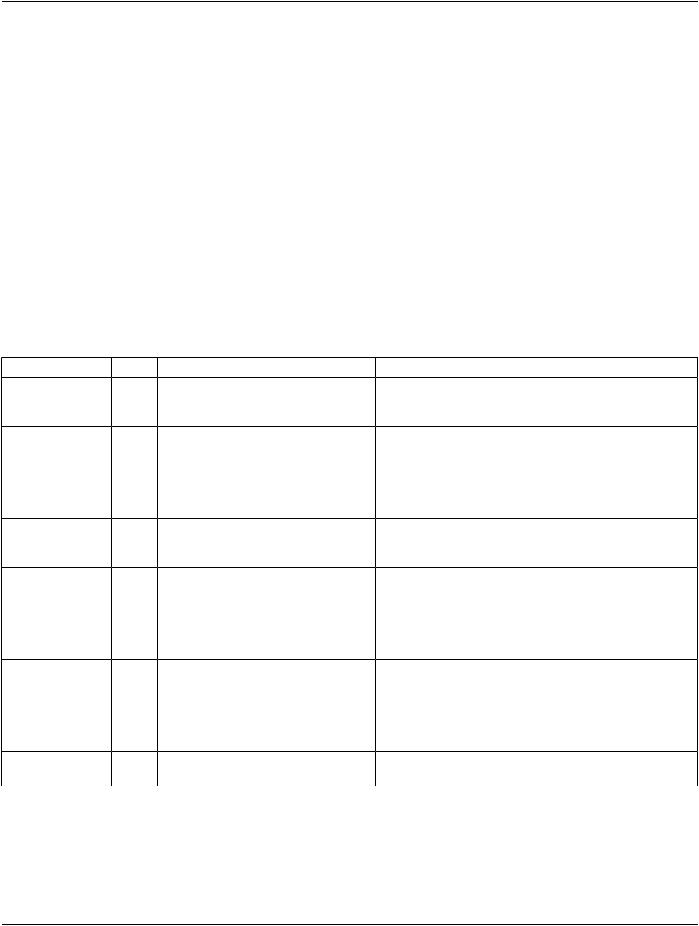
ThePrintServer(SCP)AEmayrejectassociationattemptsasshowninTableE.4.2-9.TheResult,SourceandReason/Diagcolumns represent the values returned in the appropriate fields of an ASSOCIATE-RJ PDU (see Section 9.3.4 “A-ASSOCIATE-RJ PDU Structure” in PS3.8). The contents of the Source column is abbreviated to save space and the meaning of the abbreviations are:
a.1 - DICOM UL service-user
b.2 - DICOM UL service-provider (ASCE related function)
c.3 - DICOM UL service-provider (Presentation related function)
Table E.4.2-9. Association Rejection Reasons
Result |
Source |
Reason/Diag |
Explanation |
|
2 - |
c |
2 |
- local-limit-exceeded |
The (configurable) maximum number of simultaneous |
rejected-transient |
|
|
|
associations has been reached. An association request with |
|
|
|
|
the same parameters may succeed at a later time. |
2 - |
c |
1 |
- temporary-congestion |
No associations can be accepted at this time due to the |
rejected-transient |
|
|
|
real-timerequirementsofhigherpriorityactivities(e.g.,during |
|
|
|
|
image acquisition no associations will be accepted) or |
|
|
|
|
because insufficient resources are available (e.g., memory, |
|
|
|
|
processes, threads). An association request with the same |
|
|
|
|
parameters may succeed at a later time. |
1 - |
a |
2 |
- |
TheassociationrequestcontainedanunsupportedApplication |
rejected-permanent |
application-context-name-not-supportedContext Name. An association request with the same |
|||
|
|
|
|
parameters will not succeed at a later time. |
1 - |
a |
7 |
- called-AE-title-not-recognized |
The association request contained an unrecognized Called |
rejected-permanent |
|
|
AE Title. An association request with the same parameters |
|
|
|
|
|
will not succeed at a later time unless configuration changes |
|
|
|
|
are made. This rejection reason normally occurs when the |
|
|
|
|
association initiator is incorrectly configured and attempts to |
|
|
|
|
address the association acceptor using the wrong AE Title. |
1 - |
a |
3 |
- calling-AE-title-not-recognized |
The association request contained an unrecognized Calling |
rejected-permanent |
|
|
AE Title. An association request with the same parameters |
|
|
|
|
|
will not succeed at a later time unless configuration changes |
|
|
|
|
are made. This rejection reason normally occurs when the |
|
|
|
|
association acceptor has not been configured to recognize |
|
|
|
|
the AE Title of the association initiator. |
1 - |
b |
1 |
- no-reason-given |
The association request could not be parsed. An association |
rejected-permanent |
|
|
request with the same format will not succeed at a later time. |
|
E.4.2.1.4.1.2 Accepted Presentation Contexts
EXAMPLE-PRINT-SERVER-MANAGEMENT will accept Presentation Contexts as shown in the following table:
- Standard -
Page 194 DICOM PS3.2 2020a - Conformance
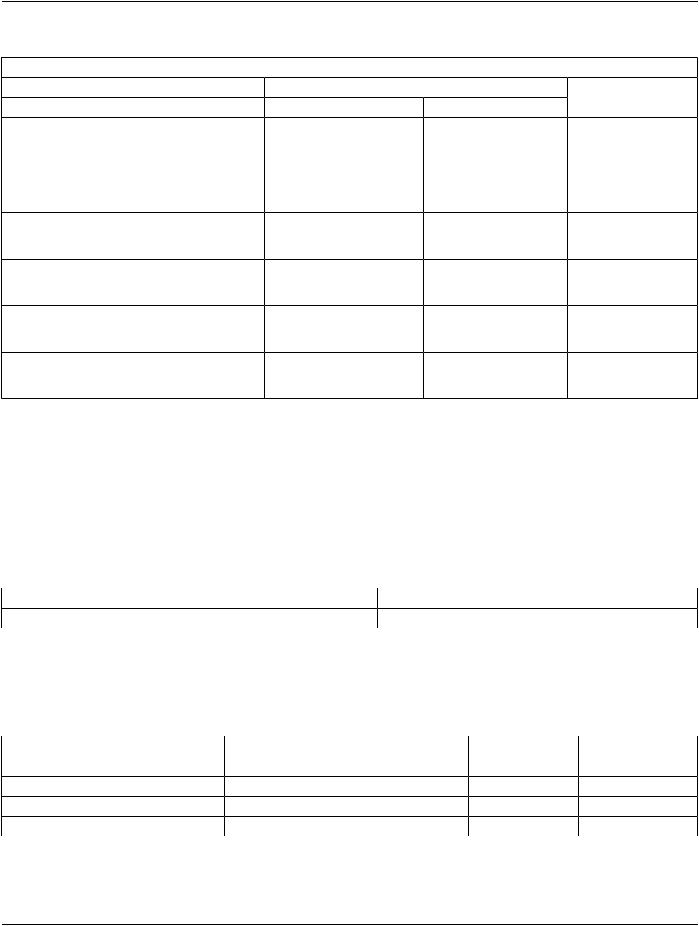
Table E.4.2-10. Accepted Presentation Contexts for Print Server Management Activity
|
|
Presentation Context Table |
|
|
|
Abstract Syntax |
Transfer Syntax |
Role |
Extended |
||
Name |
UID |
Name List |
UID List |
|
Negotiation |
|
|
||||
Verification |
1.2.840.10008.1.1 |
Implicit VR Little Endian |
1.2.840.10008.1.2 |
SCP |
None |
|
|
Explicit VR Little Endian |
1.2.840.10008.1.2.1 |
|
|
Basic Grayscale |
1.2.840.10008.5.1.1.9 |
Implicit VR Little Endian |
1.2.840.10008.1.2 |
SCP |
None |
Print Management |
|
Explicit VR Little Endian |
1.2.840.10008.1.2.1 |
|
|
Meta SOP |
|
|
|
||
Basic Annotation |
1.2.840.10008.5.1.1.15 |
Implicit VR Little Endian |
1.2.840.10008.1.2 |
SCP |
None |
Box |
|
Explicit VR Little Endian |
1.2.840.10008.1.2.1 |
|
|
|
|
|
|
||
Print Job |
1.2.840.10008.5.1.1.14 |
Implicit VR Little Endian |
1.2.840.10008.1.2 |
SCP |
None |
|
|
Explicit VR Little Endian |
1.2.840.10008.1.2.1 |
|
|
Presentation LUT 1.2.840.10008.5.1.1.23 |
Implicit VR Little Endian |
1.2.840.10008.1.2 |
SCP |
None |
|
|
|
Explicit VR Little Endian |
1.2.840.10008.1.2.1 |
|
|
Printer |
1.2.840.10008.5.1.1.16.376Implicit VR Little Endian |
1.2.840.10008.1.2 |
SCP |
None |
|
Configuration |
|
Explicit VR Little Endian |
1.2.840.10008.1.2.1 |
|
|
|
|
|
|
||
The Print Server Management AE will prefer to accept the Explicit VR Little Endian Transfer Syntax if multiple transfer syntaxes are offered. Furthermore, At the time of association establishment, the Print Server Management confirms, returning a list of presentation contexts that were proposed by the Print SCU and that will be supported by the Print Server Management.
E.4.2.1.4.1.3 SOP Specific Conformance
E.4.2.1.4.1.3.1 Specific Conformance for Verification SOP Class
TheEXAMPLE-PRINT-SERVER-MANAGEMENTprovidesstandardconformancetotheDICOMVerificationServiceClassasaSCP. The status code for the C-ECHO is in the following table:
Table E.4.2-11. C-ECHO Response Status Handling Reasons
Code |
Status |
Reason |
0000 |
Success |
The C-ECHO request is accepted. |
E.4.2.1.4.1.3.2 Specific Conformance to Grayscale Print Management Meta SOP Class
The EXAMPLE-PRINT-SERVER-MANAGEMENT supports the following mandatory SOP classes as defined by the Basic Grayscale Print Management Meta SOP Class:
Table E.4.2-12. SOP Classes for Basic Grayscale Print Management Meta SOP Class
SOP Class Name |
SOP Class UID |
SCU |
SCP |
Basic Film Session |
1.2.840.10008.5.1.1.1 |
No |
Yes |
Basic Film Box |
1.2.840.10008.5.1.1.2 |
No |
Yes |
Basic Grayscale Image Box |
1.2.840.10008.5.1.1.4 |
No |
Yes |
Printer |
1.2.840.10008.5.1.1.16 |
No |
Yes |
The Common SOP Specific Conformance for all Print SOP Classes, including the general behavior of Print Server Management AE during communication failure is summarized in the following table:
- Standard -
DICOM PS3.2 2020a - Conformance Page 195
Table E.4.2-13. Print Server SCP Communication Failure Reasons
Exception |
Behavior |
Timeout |
The Association is aborted using A-ABORT and the print-job is marked as failed. The |
|
reason is logged and the job failure is reported to the user via the job control application. |
AssociationabortedbytheSCPornetworkThe print-job is marked as failed. The reason is logged and the job failure is reported to layers the user via the job control application.
ThespecificSOPConformancestatementforeachoftheBasicGrayscalePrintManagementMetaSOPClasscomponentsisdescribed in the subsequent sections.
E.4.2.1.4.1.3.2.1 Specific Conformance for Basic Film Session SOP Class
The EXAMPLE-PRINT-SERVER-MANAGEMENT provides support for the following DIMSE Services:
•N-CREATE
•N-SET
•N-ACTION
•N-DELETE
E.4.2.1.4.1.3.2.1.1 Film Session SOP Class Operations for N-CREATE
TheEXAMPLE-PRINT-SERVER-MANAGEMENTprovidesthefollowingsupportfortheFilmSessionattributessentbytheN-CREATE DIMSE service::
Table E.4.2-14. Basic Film Session SOP Class N-CREATE Request Attributes
Attribute |
Tag |
Valid Range |
DefaultValueifnotsent Response to Invalid |
||
|
|
|
by SCU or invalid value |
Value |
|
|
|
|
received |
|
|
Number of Copies |
(2000,0010) |
1 - 99 |
1 |
Warning (0x116) |
|
Print Priority |
(2000,0020) |
LOW |
LOW |
Warning (0x116) |
|
|
|
MED |
|
|
|
|
|
HIGH |
|
|
|
Medium Type |
(2000,0030) |
CLEAR FILM |
CLEAR FILM |
Warning (0x116) |
|
|
|
BLUE FILM |
|
|
|
|
|
PAPER |
|
|
|
|
|
CURRENT(See SectionE.8.5.1) |
|
|
|
Film Destination |
(2000,0040) |
MAGAZINE |
MAGAZINE |
Warning (0x116) |
|
|
|
PROCESSOR |
|
|
|
|
|
CURRENT(See SectionE.8.5.1) |
|
|
|
Film Session Label |
(2000,0050) |
Up to 64 characters |
No default. |
Warning (0x116) |
|
The Print Server Management behavior and specific status codes sent for the N-CREATE of a specific Film Session is described in the following table:
- Standard -