Материал: SercosDriveLib_E
SoftMotion: DriveInterface: SercosDrive.lib
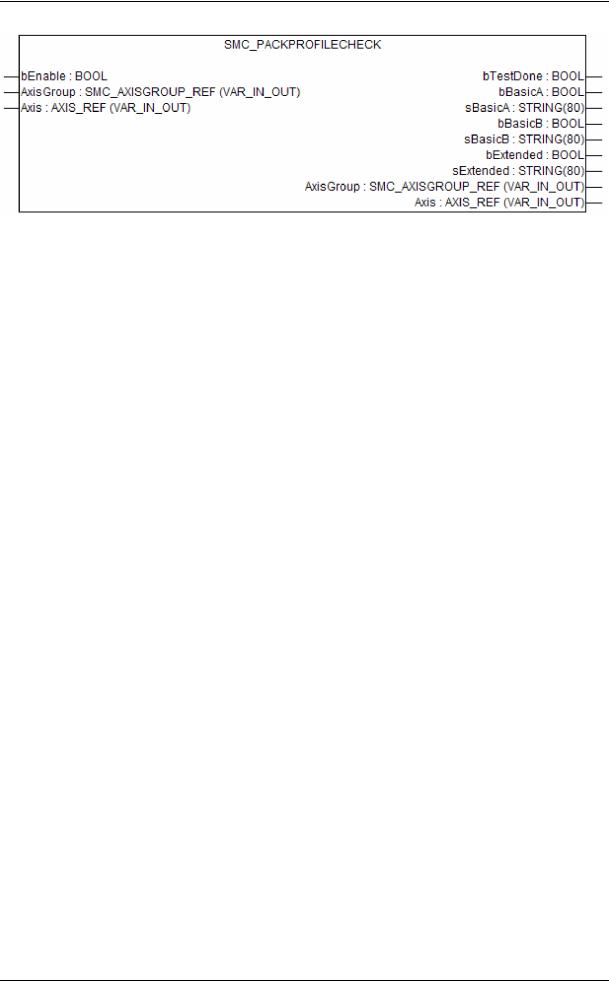
bEnable : Enable the function block
AxisGroup, Axis: Axis group to be checked.
bTestDone: TRUE: start-up is done and below outputs are definite, FALSE: start-up is not completed. Therefore the results in the below outputs are not yet definite.
bBasicA, bBasicB, bExtended: TRUE: start-up complies to PackProfile BasicA/BasicB/Extended
sBasicA, sBasicB, sExtended: reasons, why start-up is not compliant to PackProfile BasicA/BasicB/Extended
tech_doc_e.doc / V1.1
© 3S - Smart Software Solutions GmbH |
Page 11 of 16 |
SercosDriveLib_E.doc |
|
SoftMotion: DriveInterface: SercosDrive.lib
4 Sercos Specific FBs for Accessing Drive Parameters
You can read or write all drive IDNs with the FBs of this chapter. This includes normal parameters (2Byte/4Byte) as well as lists and strings and beside the normal data value can access also other data block elements (like minimum/maximum value, name etc.).
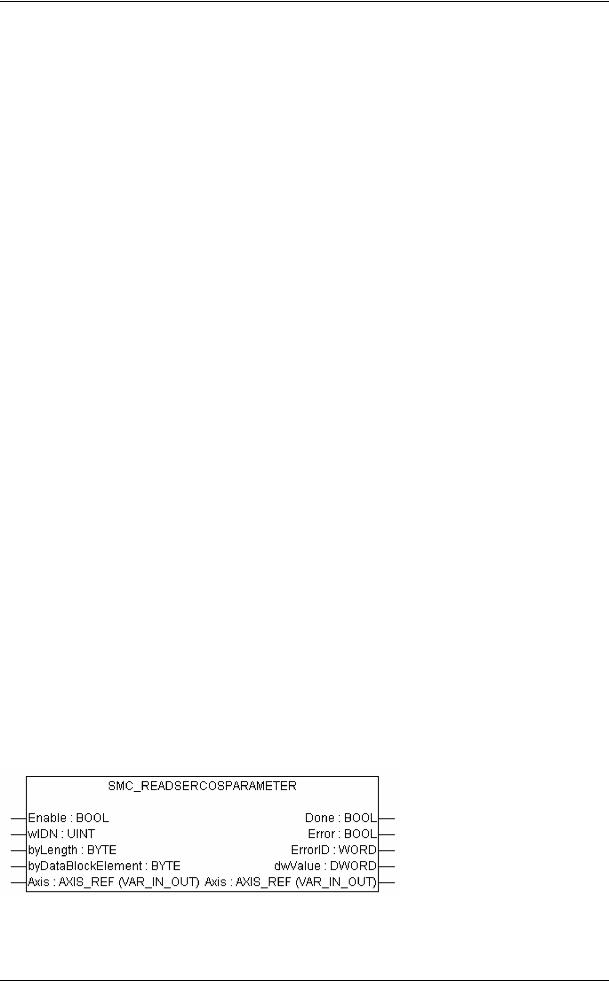
The inputs Enable and Axis and the outputs Done, Error and ErrorID of those FBs are similar to MC_Read/WriteParameter.
Use these FBs with care, as they may (if permanently enabled) block the standard DriveInterface acyclic communication channel!
The global variable g_strSercosError is a string and includes a detailed error message, when reading/writing a parameter (list) via the service channel failed.
4.1Parameter Identifier (S/P)
The standard (S) parameters lie between 1 and 32768 (Bit15 not set). Product specific (P) parameters are offsetted with 32768 (Bit 15 set).
The parameter sets (digit after S or P) determine Bit14-12.
The data block number (last (main) number) is stored in Bit11-0
example: S-0-0100 = wIDN 100 ; |
S-2-0001 = wIDN 8193 ; |
P-0-1000 = wIDN 33768 |
4.2Reading/Writing Normal Parameters with a Standard Length
For reading normal parameters you have to specify the IDN, the length of this parameter (in Bytes; typically 2 or 4), and finally the data block element you want to see.
The data block element is specified according to Sercos specification:
byDataBlockElement |
data block element |
|
|
0 or 7 |
data value (default) |
|
|
1 |
data state |
|
|
2 |
name |
|
|
3 |
attribute |
|
|
4 |
unit |
|
|
5 |
minimum |
|
|
6 |
maximum |
|
|
Be aware that not all data block elements consist of normal parameters (e.g. string) and therefore must be handled with the string or list reading FBs.
tech_doc_e.doc / V1.1
© 3S - Smart Software Solutions GmbH |
Page 12 of 16 |
SercosDriveLib_E.doc |
|
SoftMotion: DriveInterface: SercosDrive.lib
4.3Reading/Writing List Parameters
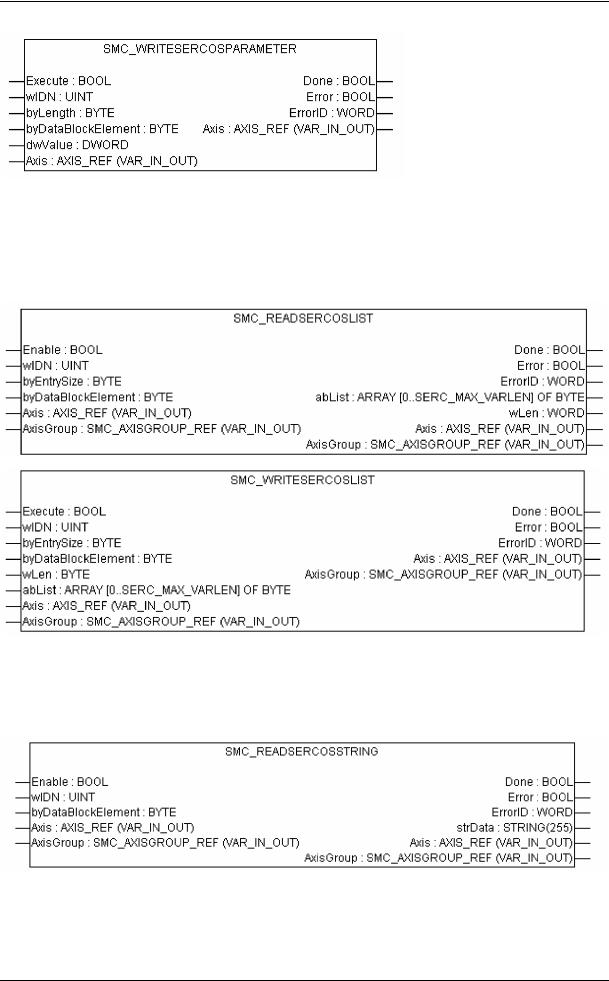
In opposite to the above FBs those for reading/writing lists need beside a reference to the axis also the AxisGroup. Moreover, the entry size (size of one list element in bytes) must be specified.
Be aware that the number of elements of a list to be read or written are limited to 4000.
4.4Reading String Parameters
This FB reads a string parameter and works similar to SMC_ReadSercosList. The string size is limited to 255 characters.
tech_doc_e.doc / V1.1
© 3S - Smart Software Solutions GmbH |
Page 13 of 16 |
SercosDriveLib_E.doc |
|

SoftMotion: DriveInterface: SercosDrive.lib
5 Sercos I/Os
Sercos I/Os can be controlled with this driver by setting the variable bIsIO during the first IEC cycle. The I/O data IDNs should be transferred as cyclic data; therefore configure it in the arrays awAddRealtimeSendIDN, abyAddRealtimeSendLength, adwAddRealtimeSendData and awAddRealtimeReceiveIDN, abyAddRealtimeReceiveLength, adwAddRealtimeReceiveData.
Example:
*************************************************)
(* this must be set once during the first cycle *) IF NOT bInit THEN
IO_MS.bIsIO := TRUE;
IO_MS.abyAddRealtimeSendLength[0] := 2;
IO_MS.awAddRealtimeSendIDN[0] := 16#2000;
IO_MS.abyAddRealtimeReceiveLength[0] := 2;
IO_MS.awAddRealtimeReceiveIDN[0] := 16#2000 + 10;
bInit := FALSE;
END_IF (*************************************************)
(* use a counter for test *) byOut := byOut+1;
(* write output data in the real-time data structure *) IO_MS.adwAddRealtimeSendData[0] := byOut;
(* read input data from real-time data structure *)
byIn := DWORD_TO_BYTE(IO_MS.adwAddRealtimeReceiveData[0]);
tech_doc_e.doc / V1.1
© 3S - Smart Software Solutions GmbH |
Page 14 of 16 |
SercosDriveLib_E.doc |
|

SoftMotion: DriveInterface: SercosDrive.lib
6 Ways of Synchronizing PLC and Sercos Hardware
(A) If your PLC supports an externally triggered Sercos interrupt task:
-configure your Task to run externally event-triggered with the Sercos event
-don’t forget to set the cycle time in your AxisGroup
(B) Else (e.g. SP RTE):
-configure your Task to run event-triggered by <AxisGroup>.bSync (CoDeSys SP RTE > V2.3.3.9) or g_bSercosInterrupt (former RTE versions)
-don’t forget to set the cycle time in your AxisGroup
-if you run very fast cycles (1ms), decrease also the cycle time of the sceduler (SP RTE: Config->Timebase)
tech_doc_e.doc / V1.1
© 3S - Smart Software Solutions GmbH |
Page 15 of 16 |
SercosDriveLib_E.doc |
|