Материал: part20

Page 26 DICOM PS3.20 2020a - Imaging Reports using HL7 Clinical Document Architecture
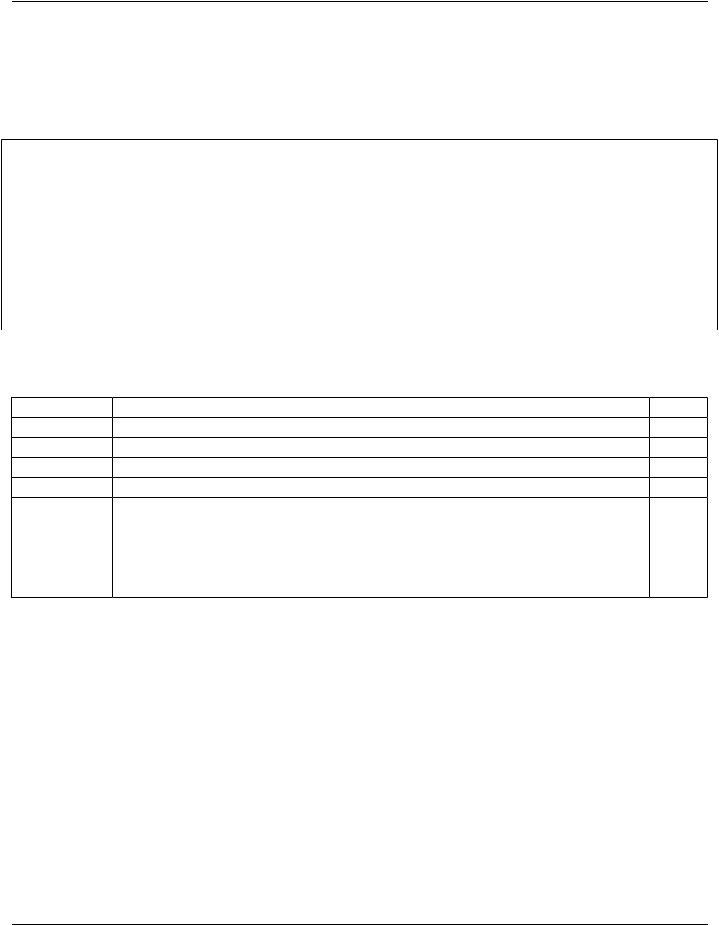
Table 5.2-1. Template table format
Business Name |
Nest |
Element/ |
Card Elem/Attr |
Data TypeValue |
Value Subsidiary |
|
Level |
Attribute |
Conf |
Conf |
Template |
ScopingBusinessName |
|
|
|
|
|
ElementBusinessName |
|
|
|
|
|
 ReferencedBusinessName
5.2.1 Business Name
This Part uses Business Names to identify and map common data elements from clinical imaging reports into the proper context- specific CDA/XML structure.
A Business Name is assigned to each element or attribute that may have a user-specified value assigned in the production of the clinicaldocumentinstance.BusinessNamesarespecifiedtofacilitatetheimplementationofproductionlogicforclinicalreportauthoring applications. The benefit is that developers of clinical report authoring applications are not required to have an in depth knowledge of CDA, the HL7 v3 R-MIM data model, or the XML structures. The use of readable and intuitive Business Names provides a method of direct access to insert data that is specific to each clinical report instance.
Note
Business Names are also described in the HL7 greenCDAModules for CCD specification, but that specification implies the useofaspecificXMLstructureforproductionlogicthatisnotrequiredbythisPart.Thespecificationofproductionlogicusing Business Names is outside the scope of this Part.
Business Names are not specified for elements that are expected to receive an automatically generated value, e.g., the id element for each document, section, and entry.
As a convention, Business Names are represented in CamelCase (alternating upper and lower case, no spaces, initial letter in upper case) in the Business Name column of the template tables.
Business Names are hierarchically organized, and contextually scoped by higher level Business Names.
•Data element/attribute level Business Names are shown in normal font
•Business Names that provide scoping for subsidiary Business Names are shown in bold font.
•Referenced Business Names from included templates are shown in italic (see Section 5.2.9)
•As a convention, hierarchical relationship between Business Names is shown with the : character.
Scoping Business Names scope all attributes and elements subsidiary to the element to which the name is assigned.
Examples:
•The top level scoping Business Name for an Imaging Report is "ImagingReport", and it scopes all attributes and elements in the document, i.e., including and subsidiary to the <ClinicalDocument> XML element
•TheBusinessNameforthe9.2ClinicalInformationreportsectionis"ImagingReport:ClinicalInformation",anditscopesallattributes and elements including and subsidiary to the <section> XML element in template 1.2.840.10008.9.2
•The Business Name for the text element of the 9.2 Clinical Information report section is "ImagingReport:ClinicalInformation:Text"
•The Business Name for the text element of the 9.6 Impression section is "ImagingReport:Impression:Text"
Note that both 9.2 Clinical Information and 9.6 Impression define a Business Name "Text", but these are distinguished by their hier- archical location under the scoping Business Names of their respective sections.
- Standard -

DICOM PS3.20 2020a - Imaging Reports using HL7 Clinical Document Architecture |
Page 27 |
5.2.1.1 Multiple Instantiations
Some templates may be invoked multiple times in a document instance; for example, the 10.5 Quantity Measurement template is in- stantiated for each numeric measurement in a report. Each instantiation shall have an identifying string, unique within the document, usedasadiscriminatorbetweenthosemultipleinstantiations.TheBusinessNameforeachelementthatmayhavemultipleinstantiations hasasuffix[*],indicatingtheuseofadiscriminatorstring.ThisallowsBusinessNamebasedproductionlogicforauthoringapplications to identify specific instances of an element.
Example 5.2.1.1-1. Example Business Name based production logic with discriminators for two measurements
--"Q21a" is the discriminator for the first measurement
--"Q21b" is the discriminator for the second measurement ImagingReport:Findings:QuantityMeasurement[Q21a]:MeasurementName = ("112058", "DCM", "Calcium score") ImagingReport:Findings:QuantityMeasurement[Q21a]:MeasurementValue = "8" ImagingReport:Findings:QuantityMeasurement[Q21a]:MeasurementUnits = "[arb'U]" ImagingReport:Findings:QuantityMeasurement[Q21b]:MeasurementName = ("408716009", "SNOMED", "Stenotic lesion length") ImagingReport:Findings:QuantityMeasurement[Q21b]:MeasurementValue = "14" ImagingReport:Findings:QuantityMeasurement[Q21b]:MeasurementUnits = "mm"
ThediscriminatorstringshallbeconformanttoXMLNameproductionrequirements,asusedfortheXMLIDattribute(seeSection5.3.4 on the use of XML ID).
Some CDA elements may include an XML ID attribute. This attribute is identified by '*' (asterisk) as its Business Name, and its value shall be the discriminator string.
5.2.1.2 Implicit Element Structure For Business Name
A Business Name may be associated with an element subsidiary to another element that does not have an associated Business Name. In such a case, when the element with the Business Name is instantiated in a document, its entire parent element hierarchy must be instantiated, even if those elements are identified as optional.
Note
Forexample,inthe8.1GeneralHeadertemplate,ifRecipient:Nameisinstantiated,theentirehierarchicalstructureofinform- ationRecipient/intendedRecipient/informationRecipient/name must be instantiated to hold the name element content.
5.2.2 Nesting Level
CDA documents are encoded using the Extensible Markup Language (XML), and are marked up through hierarchically nested XML elements (tags). The Nesting Level column of the template tables identifies the hierarchical level of each element relative to the other elements in the table using the character right angle bracket '>'. Multiple levels of nesting are identified by multiple > characters.
XML elements may have attributes, encoded as "<name>=<value>" pairs within the element tag. Such attributes are identified using the character at sign '@'.
5.2.3 Element/Attribute Names and XPath Notation
The name of each XML element and attribute used in a CDA document for which specific constraints are applied is shown in the Element/Attribute column of the template tables. Optional elements whose use is not specified nor constrained are not shown.
Elements and attributes that use the default value specified in CDA Specification are not shown. For example, the Section element has default attributes classCode='DOCSECT' and moodCode='EVN'; these are not listed in the templates. In accordance with the HL7 v3 specification, attributes with default values need not be included in instances, and their absence implies the default value.
XML Path Language (XPath) notation is used to identify the XML elements and attributes within the CDA document instance to which various constraints are applied. The implicit context of these expressions is the root node of the document, and traversing the path
- Standard -
Page 28 |
DICOM PS3.20 2020a - Imaging Reports using HL7 Clinical Document Architecture |
to the root node of the relevant template. This notation provides a mechanism that will be familiar to developers for identifying parts of an XML document.
XPath syntax selects nodes from an XML document using a path containing the context of the node(s). The path is constructed from node names and attribute names (prefixed by a '@') and concatenated with a '/' symbol.
Example 5.2.3-1 is an example of a fragment of a CDA document.
Example 5.2.3-1. XML document example
<author>
<assignedAuthor>
...
<code codeSystem='2.16.840.1.113883.6.96' codeSystemName='SNOMED CT' code='17561000' displayName='Cardiologist' />
...
</assignedAuthor>
</author>
Table 5.2.3-1 is an example of a fragment of a template specification table.
Table 5.2.3-1. Template element and attribute example
… |
Nest Level |
Element/Attribute |
… |
|
|
author |
|
|
> |
assignedAuthor |
|
… |
|
|
|
|
>> |
code |
|
|
>>@ |
@codeSystem |
|
|
>>@ |
@codeSystemName |
|
|
>>@ |
@code |
|
|
>>@ |
@displayName |
|
… |
|
|
|
InTable5.2.3-1,thecodeattributeofthecodeelementcouldbeselectedwiththeXPathexpressionauthor/assignedAuthor/code/@code.
5.2.4 Cardinality
Each element/attribute has a cardinality indicator that specifies the number of allowable occurrences within a template instance. The cardinality indicators are interpreted with the following format "m…n" where m represents the least and n the most:
•0..1 zero or one
•1..1 exactly one
•1..* at least one
•0..* zero or more
•1..n at least one and not more than n
•0..0 none [SHALL NOT]
- Standard -

DICOM PS3.20 2020a - Imaging Reports using HL7 Clinical Document Architecture |
Page 29 |
5.2.5 Element/Attribute Conformance
Each element/attribute has a conformance verb (keyword) in addition to the cardinality constraint.
ThekeywordsSHALL,SHOULD,MAY,SHOULDNOT,SHALLNOT,andNEEDNOTinthisdocumentaretobeinterpretedasdescribed in ISO/IEC Directives, Part 2, Annex H "Verbal forms for the expression of provisions":
•SHALL: an absolute requirement
•SHALL NOT: an absolute prohibition against inclusion
•SHOULD/SHOULD NOT: a best practice or recommendation. There may be valid reasons to ignore a recommendation, but the full implications must be understood and carefully weighed before choosing to not adhere to the best practice.
•MAY/NEEDNOT:trulyoptional;canbeincludedoromittedatthediscretionofthecontentcreatorwithnoconformanceimplications
The keyword SHALL is associated with a minimum cardinality of at least 1; other keywords have a minimum cardinality of 0. If an element is required by SHALL, but is not known (and would otherwise be omitted without the SHALL requirement), it must be repres- ented by a nullFlavor. SHALL allows the use of nullFlavor unless the requirement is on an attribute (nullFlavor does not apply to at- tributes), or the use of nullFlavor is explicitly precluded (see Section 5.2.7 Value Conformance and Section 5.3.2 Null Flavor).
Within the template, the keyword COND (conditional) may be present. In this case, the specification of the condition, and the conform- ance verbs associated with the condition being true or false, are described below the table in a paragraph flagged with the COND keyword.
In an open template, additional elements and attributes allowed by the CDA Specification are not precluded by template constraints, unless there are applicable SHALL NOT template specifications.
5.2.6 Data Type
The data type associated with each element/attribute is specified, as described in the CDA Specification and its referenced HL7v3 Data Types Release 1. Elements that are simply tags with subsidiary content only of nested elements, e.g., RIM class clone names, have the Data Type column empty.
Many data types are non-primitive, and may include constituent component elements and/or attributes. Such subsidiary components are not specified in the templates unless specific constraints are to be applied to them.
5.2.7 Value Conformance
Thetemplatetablemayconstrainvaluesorvocabulariestobeusedwithanelementorattribute.Valueconstraintsincludeaconformance verb (SHALL, SHOULD, MAY, etc.) as defined in Section 5.2.5, and specified in the Value Conformance column of the template tables.
Elements for which nullFlavor is forbidden are indicated with an additional constraint keyword noNull.
Additionally,constraintsspecifyingValueSetsincludeacodingstrengthconformanceCWE(CodedWithExtensibility)orCNE(Coded with No Extensibility), as defined in Core Principles and Properties of HL7 Version 3 Models, Release 1.
Further, Value Set constraints can be static, meaning that they are bound to a specified version of a Value Set, or dynamic, meaning thattheyareboundtothemostcurrentversionoftheValueSet.Bydefault,ValueSetshavedynamicbinding,unlessexplicitlyspecified with an additional constraint keyword static.
5.2.8 Value Specification
The template table may constrain values to a single fixed value, to a Value Set from which the value is to be drawn, or to a named Concept Domain. It may non-normatively reference a mapping from a DICOM SOP Instance or an HL7 message.
Thetemplatetablemaycontainelementswithoutavaluespecification,andwithoutaBusinessName.Thesearetypicallyidelements. The application creating the document instance shall fill these elements with appropriate values.
- Standard -

Page 30 |
DICOM PS3.20 2020a - Imaging Reports using HL7 Clinical Document Architecture |
5.2.8.1 Coded Simple Value
Values of Data Type CS (Coded Simple Value) have a fixed code system defined in the CDA Specification, and are simple strings. The template tables identify only the constraint on the code value, and do not specify the fixed code system nor the code meaning (display name), which are not encoded in the CDA instance.
5.2.8.2 Concept Descriptor and Coded With Equivalents
Single values of Data Type CD (Concept Descriptor) or CE (Coded With Equivalents) are specified in the template tables with the triplet notation specified in PS3.16:
(CodeValue, Coding Scheme Designator, "Code Meaning")
The Coding Scheme Designator is a simple human readable identifier of the code system, and corresponds to the optional codeSystemName attribute of the CD or CE element. The CDA Specification requires the Code System OID to be encoded in the codeSystem attribute of the CD or CE element. The corresponding OID for each Coding Scheme Designator is provided in Annex 8 “Coding Schemes” in PS3.16. The Code Meaning is encoded in the displayName attribute of the CD or CE element.
5.2.8.3 Value Set
Elements whose value may be drawn from a Value Set will have that Value Set identified in the Value column introduced by the keyword ValueSet.
5.2.8.4 Concept Domains
Concept Domains (see definition in ) are used to provide a named category in a structural template that can be bound to a specific value or value set by an invoking template, thus specializing the structural template for a particular use case. Concept Domain names are introduced by the keyword ConceptDomain in the Value column. For example, the 10.5 Quantity Measurement template Concept Domain "observationType" might be bound to a value set of fetal ultrasound measurements in one invoking template, or to a value set of cardiac CT measurements in another invoking template.
Concept Domain names are similar to element Business Names in that they provide a public interface that is bound to specific values laterinthedocumentspecificationandproductionprocess.ConceptDomainsdonothaveaValueConformanceverb;theconformance verb is specified when the Concept Domain is bound to a specific value or value set (see Section 5.2.9.1).
5.2.8.5 Mapping From DICOM SOP Instances and HL7v2 Messages
Elements whose value may be mapped from a DICOM SOP Instance or from an HL7v2 message have the source attribute name and tag identified in the Value column in italic font. Note that many of these values have their origin in IT systems outside the imaging department, and there may be alternate routes for these values to be accessed by the reporting application, e.g., from an HL7 FHIR web service.
Note
Due to differences in use of HL7v2 data elements, mappings should not be considered normative.
Data mapped from a specific Attribute in the interpreted DICOM image(s) is identified by the Attribute Name and Tag, represented in the mapping as:
Attribute Name (gggg,eeee)
Data mapped from Attributes within sequences is identified with the > character:
Sequence Attribute Name (ggg0,eee0) > Item Attribute Name (ggg1,eee1)
Data mapped from an HL7v2 field in the order for the study is identified by the Element Name and Segment Field identifier:
Element Name seg-n
- Standard -