Материал: m912201e

Внимание! Если размещение файла нарушает Ваши авторские права, то обязательно сообщите нам

334 Standard Library Elements

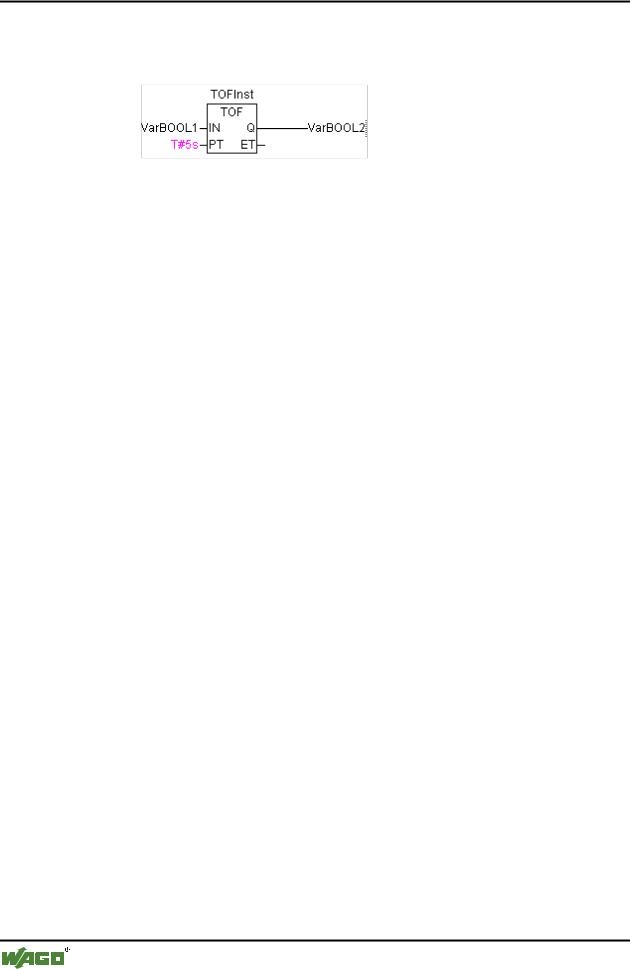
Timer

ST VarBOOL2

Example in FBD:

Example in ST:

TOFInst(IN := VarBOOL1, PT:= T#5s);

VarBOOL2 :=TOFInst.Q;

WAGO-I/O-SYSTEM 759 WAGO-I/O-PRO 32

The UTIL.LIB Library

335

UTIL.LIB Library


14The UTIL.LIB Library

14.1 UTIL.LIB Library

This library contains an additional collection of various blocks which can be used for BCD conversion, bit/byte functions, mathematical help functions, as controller, signal generators, function manipulators and for analogue value processing.

14.2 BCD conversion

A byte in the BCD format contains integers between 0 and 99. Four bits are used for each decimal place. The ten decimal place is stored in the bits 4-7. Thus the BCD format is similar to the hexadecimal presentation, with the simple difference that only values between 0 and 99 can be stored in a BCD byte, whereas a hexadecimal byte reaches from 0 to FF.

An example: The integer 51 should be converted to BCD format. 5 in binary is 0101, 1 in binary is 0001, which makes the BCD byte 01010001, which corresponds to the value $51=81.

14.2.1BCD_TO_INT

This function converts a byte in BCD format into an INT value:

The input value of the function is type BYTE and the output is type INT.

Where a byte should be converted which is not in the BCD format the output is -1.

Examples in ST:

i:=BCD_TO_INT(73);

(* Result is

49

*)

k:=BCD_TO_INT(151);

(* Result is

97

*)

l:=BCD_TO_INT(15);

(* Output -1, because it is not

in BCD format *)


14.2.2INT_TO_BCD_

This function converts an INTEGER value into a byte in BCD format:

The input value of the function is type INT, the output is type BYTE.

The number 255 will be outputted where an INTEGER value should be converted which cannot be converted into a BCD byte.

Examples in ST:

i:=INT_TO_BCD(49);

(* Result is 73 *)

WAGO-I/O-SYSTEM 759 WAGO-I/O-PRO 32

336 The UTIL.LIB Library

Bit/byte functions

k:=BCD_TO_INT(97);

(*

Result

is 151 *)

l:=BCD_TO_INT(100);

(*

Error!

Output: 255 *)

14.3 Bit/byte functions

14.3.1EXTRACT

Inputs to this function are a DWORD X, as well as a BYTE N. The output is a BOOL value, which contains the content of the Nth bit of the input X, whereby the function begins to count from the zero bit.

Examples in ST:

FLAG:=EXTRACT(X:=81, N:=4);(* Result : TRUE, because 81 is binary 1010001, so the 4th bit is 1 *)

FLAG:=EXTRACT(X:=33, N:=0);(* Result : TRUE, because 33 is binary 100001, so the bit '0' is 1 *)

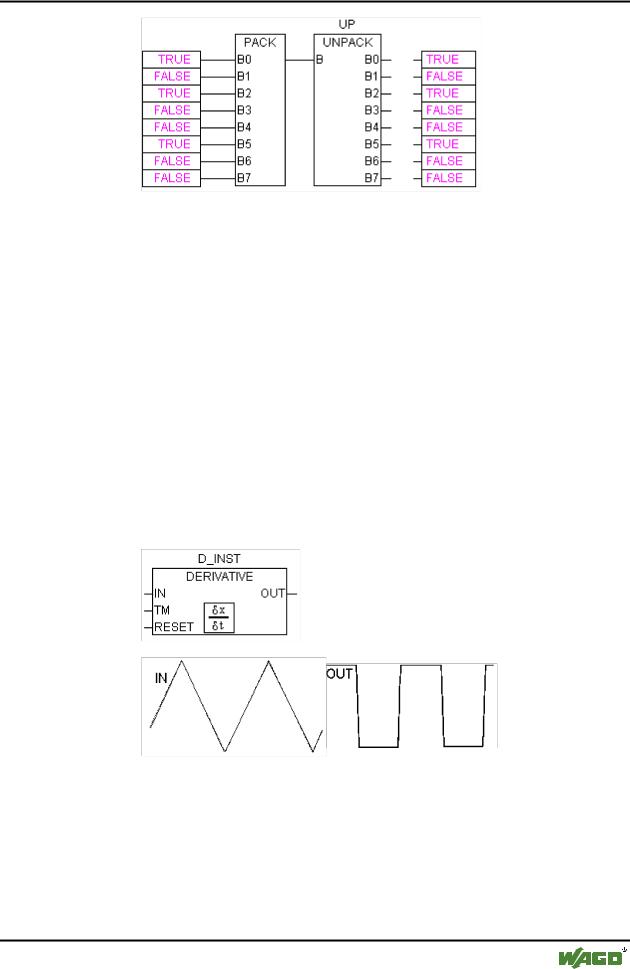
14.3.2PACK

This function is capable of delivering back eight input bits B0, B1, ..., B7 from type BOOL as a BYTE.

The function block UNPACK is closely related to this function.

14.3.3PUTBIT

The input to this function consists of a DWORD X, a BYTE N and a

BOOLean value B.

PUTBIT sets the Nth bit from X on the value B, whereby it starts counting from the zero bit.

Example in ST:

A:=38;

(* binary 100110

*)


B:=PUTBIT(A,4,TRUE);

(* Result :

54

=

2#110110

*)

C:=PUTBIT(A,1,FALSE);

(* Result :

36

=

2#100100

*)

14.3.4UNPACK

UNPACK converts the input B from type BYTE into 8 output variables

B0,...,B7 of the type BOOL, and this is the opposite to PACK.

Example in FBD:

WAGO-I/O-SYSTEM 759 WAGO-I/O-PRO 32
The UTIL.LIB Library 337

Mathematical help functions

14.4 Mathematical help functions

14.4.1DERIVATIVE

This function block approximately determines the local derivation.

The function value is delivered as a REAL variable by using IN. TM contains the time which has passed in msec in a DWORD and the input of RESET of the type BOOL allows the function block to start anew through the delivery of the value TRUE.

The output OUT is of the type REAL.

In order to obtain the best possible result, DERIVATIVE approximates using the last four values, in order to hold errors which are produced by inaccuracies in the input parameters as low as possible.

Block in FBD:

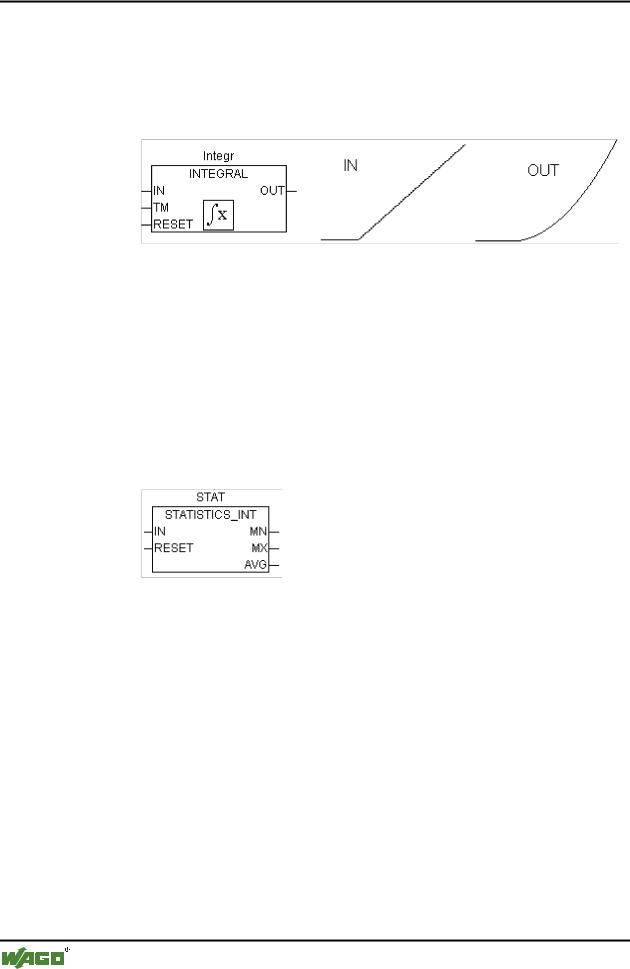
14.4.2INTEGRAL

This function block approximately determines the integral of the function.

In an analogue fashion to DERIVATIVE, the function value is delivered as a REAL variable by using IN. TM contains the time which has passed in msec in a DWORD and the input of RESET of the type BOOL allows the function block to start anew with the value TRUE.

WAGO-I/O-SYSTEM 759 WAGO-I/O-PRO 32
338 The UTIL.LIB Library

Mathematical help functions

The output OUT is of the type REAL.

The integral is approximated by two step functions. The average of these is delivered as the approximated integral.

Block in FBD: Example: Integration of a linear function:

14.4.3STATISTICS_INT

This function block calculates some standard statistical values:

The input IN is of the type INT. All values are initialised anew when the

BOOLean input RESET is TRUE.

The output MN contains the minimum, MX of the maximum value from IN. AVG describes the average, that is the expected value of IN. All three outputs are of the type INT.

Block in FBD:

14.4.4STATISTICS_REAL

This function block corresponds to STATISTICS_INT, except that the input IN is of the type REAL like the outputs MN, MX, AVG.

14.4.5VARIANCE

VARIANCE calculates the variance of the entered values.

The input IN is of the type REAL, RESET is of the type BOOL and the output OUT is again of the type REAL.

This block calculates the variance of the inputted values. VARIANCE can be reset with RESET=TRUE.

The standard deviation can easily be calculated as the square root of the

VARIANCE.

WAGO-I/O-SYSTEM 759 WAGO-I/O-PRO 32